Photograph a checklist. Export a spreadsheet.
FieldPic Checklist is for work that means going somewhere, checking items off a list, and photographing each one — price surveys, property inspections, punch lists, stocktakes. Describe the job and Apple Intelligence drafts the checklist on your iPhone, or import a CSV; shoot each item with its name already attached; export one ZIP: a CSV plus every photo, named and mapped — or a PDF report with Pro. No account, no server of ours, nothing to sort out afterwards.
What FieldPic does
- Describe the job, get a checklist
- CSV in, ZIP out
- Photos linked to items
- PDF report with Pro
- Works offline
- No account
- Duplicate for the next site
Three steps, one package.
Import a checklist
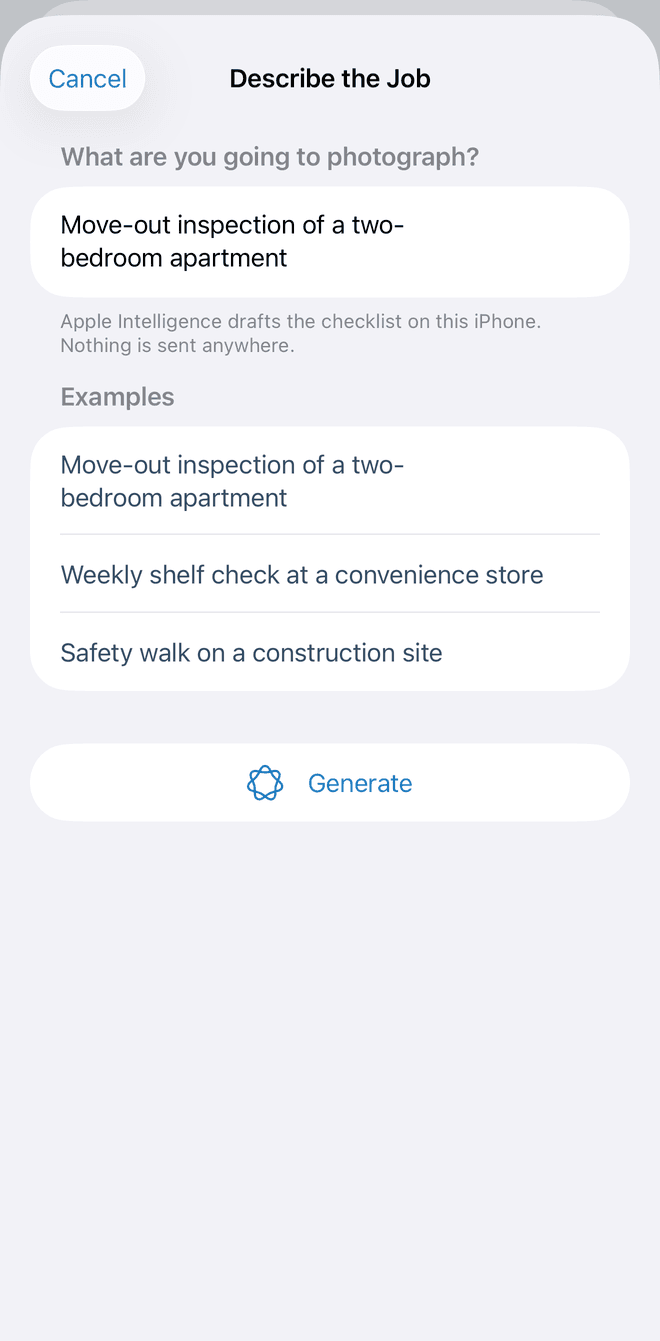
Describe the job in a sentence and Apple Intelligence drafts the checklist on the device, ready to edit — or import a two-column CSV, or start from a built-in template: property inspection, construction punch list, stocktake, mystery shopping, retail price survey. Categories become filters and every item shows its photo count. Imported items keep their order, so every site lines up; on site you can rename an item or add one that wasn't on the list.
Photograph each item in place
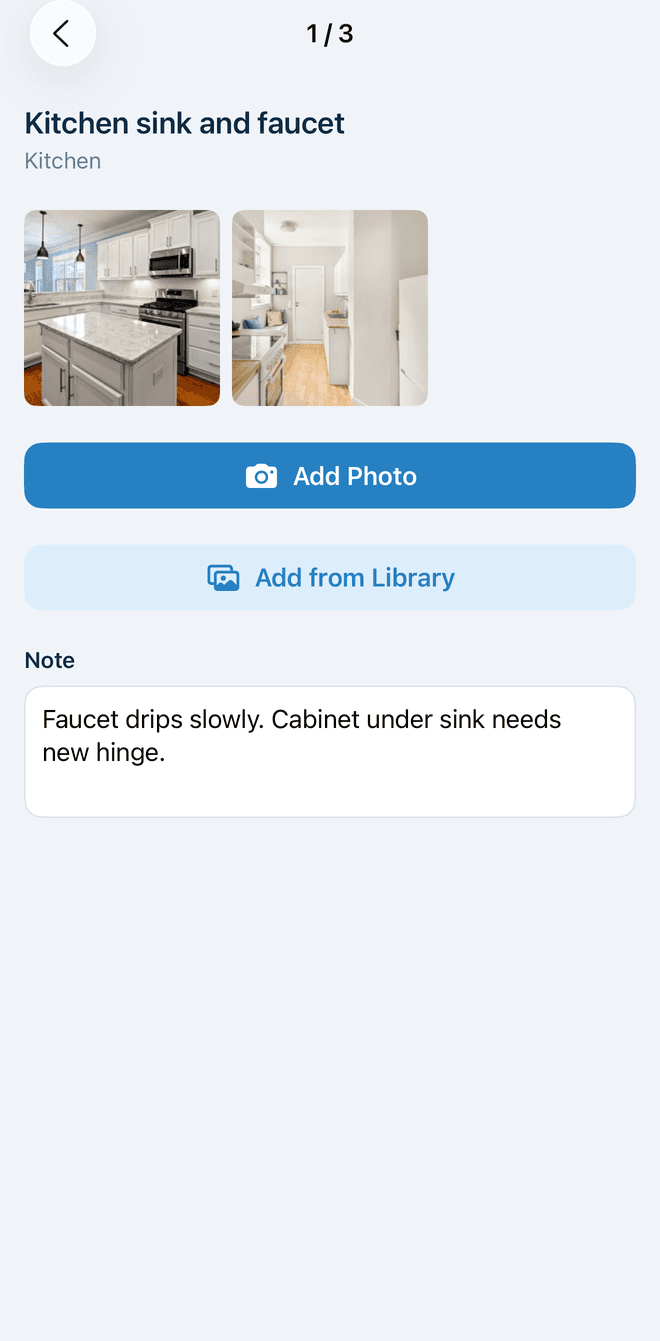
Tap the camera on any row and the photo lands on that item, already named. Stay in the camera for several shots, pull one from the library, add a note. Photos are capped at 2048 px so price tags stay legible at about half a megabyte each.
Export one package
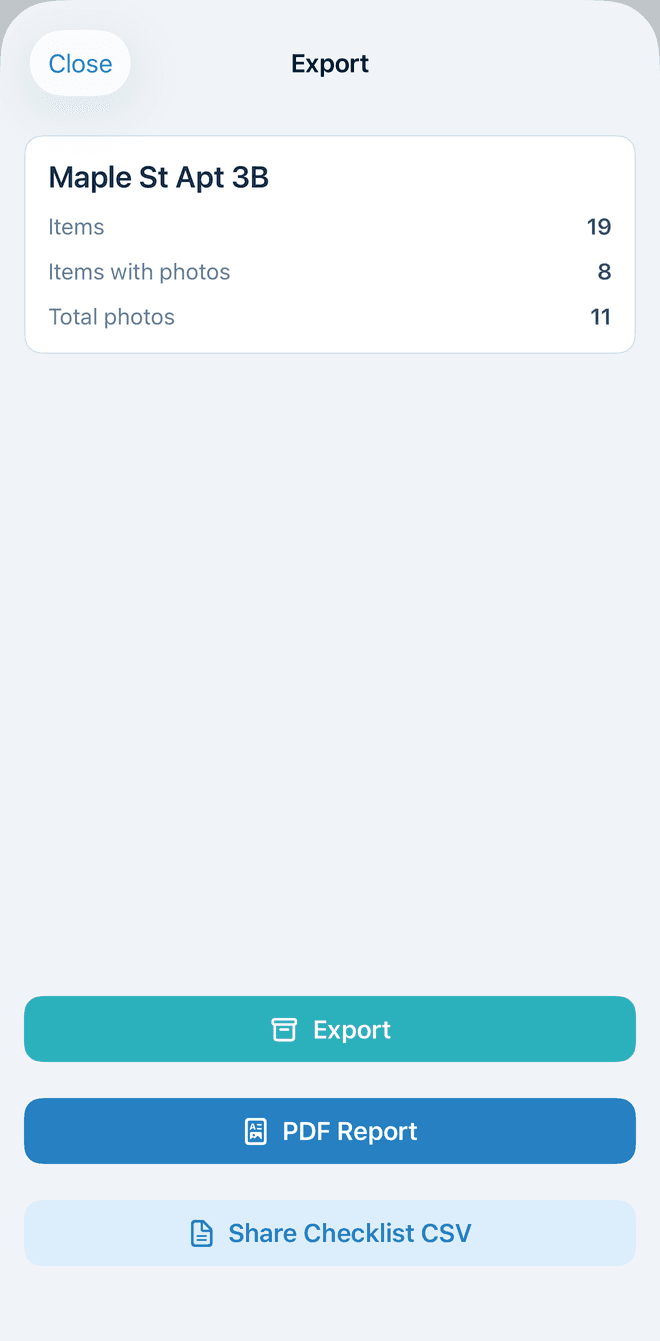
One tap builds a ZIP: data.csv with item, category, photo filenames and note; metadata.json; and every photo as item_001_1.jpeg in checklist order. Open it in Excel, feed it to a script, or hand it to Claude — the ZIP carries a README that describes the format and offers five prompts for an AI assistant, so you upload the ZIP to the assistant and paste one of them. Pro adds a PDF report with the photos and notes of every item.
The app, as it is.
The same screens you will find on the App Store, from a property inspection with the photos already in place.
- 9:41
Describe the job, get a checklist
- 9:41
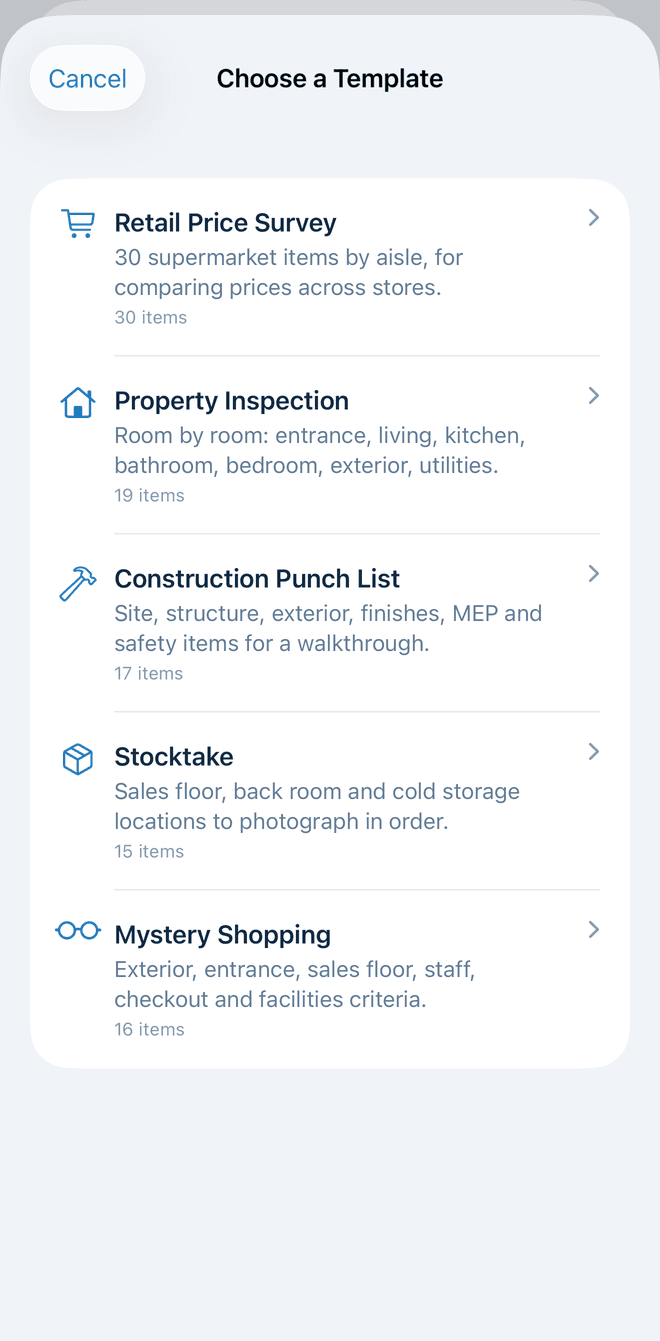
Start from a template
- 9:41
Photos land on the item
- 9:41
Several shots and a note
- 9:41
ZIP, PDF report, or the checklist
- 9:41
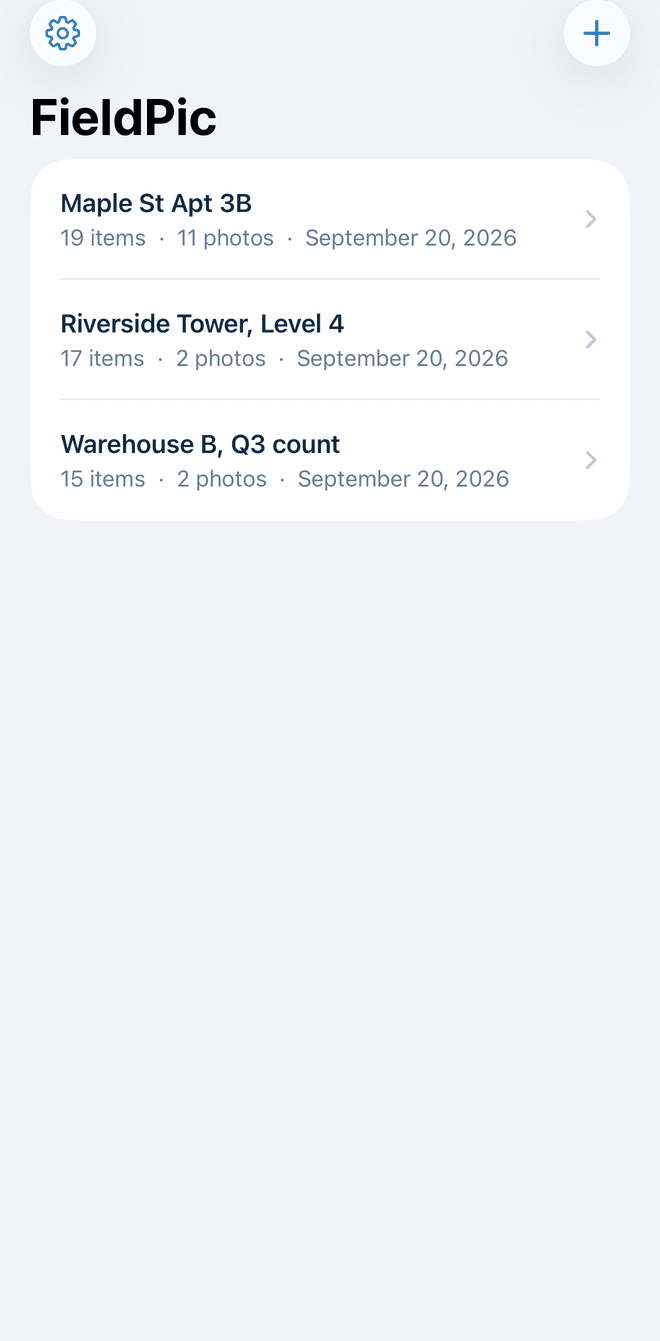
Every site kept
Built for fieldwork.
Anything that means “go there, check the list, photograph each one.” FieldPic is a data collection tool and nothing else: no account, no server of ours, and the only AI is Apple’s: the checklist draft runs on the phone, and AI Findings on Apple’s Private Cloud Compute, which keeps nothing. The simplicity is the product.
- Retail price surveys
- Property inspections
- Construction punch lists
- Insurance claims
- Stocktaking
- Mystery shopping
- Resale sourcing
- Field research
Describe the job, get a checklist
On an iPhone with Apple Intelligence, write one sentence — “Move-out inspection of a two-bedroom apartment” — and the checklist is drafted on the device, ready to edit before you start. Nothing is sent anywhere.
Templates to start from
Property inspection, construction punch list, stocktake, mystery shopping, retail price survey — pick one and the checklist is ready. No CSV needed for the first project.
Category filters
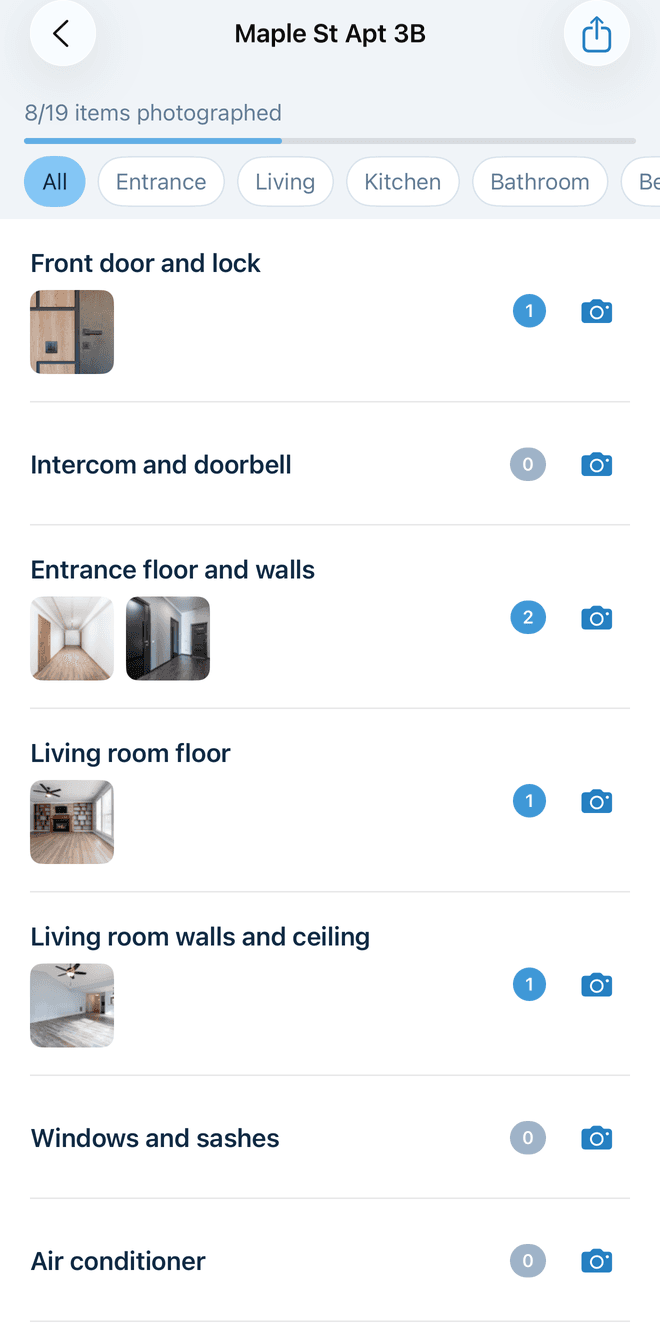
Categories come straight from the CSV. Chips at the top of the checklist narrow it to one aisle, one floor, one trade.
Several photos per item, plus a note
Take as many as the item needs; they scroll in the row and sit in a grid on the detail screen. Add a short note and it exports beside the photos.
Continuous shooting
Stay in the camera and keep shooting; Done takes you back. Photos are 2048 px on the long edge at 0.8 JPEG quality: labels readable, roughly 0.5 to 1 MB each.
From the library too
Pick photos you already took. They run through the same resize pipeline and land on the item like any other shot.
Duplicate a project
Swipe a project to copy its checklist as a template for the next store or site — items and order, no photos or notes — so downstream comparisons match line for line.
Share the checklist
Send the template CSV from the export screen. Anyone with FieldPic opens it from Mail, AirDrop or Messages with “Open in FieldPic” and starts the same survey.
The ZIP explains itself
Every export carries a README: the columns, the photo naming, and five prompts you can paste into an AI assistant — report, compare sites, prices, punch list, stocktake.
Excel opens it cleanly
data.csv is UTF-8 with a BOM and quoted to RFC 4180, so Japanese text and commas inside item names survive a double-click in Excel.
PDF report (Pro)
One document with the project summary, then every item with its category, note and photo thumbnails in checklist order — what an inspector hands to a client.
Private by default
Nothing leaves the phone until you share the ZIP — except AI Findings, which you start yourself and which Apple’s Private Cloud Compute reads without keeping. No account, no server of ours, no analytics in the app.
Two projects free. Then Pro.
Photos, notes and export are never limited. Your first two projects are free; Pro is for people who survey more than two places.
Free
$0
Your first two projects, with everything except the Pro features. Photos, notes and export are never limited.
- First 2 projects free
- Unlimited photos and notes
- Full ZIP and CSV export
- Built-in templates: inspection, punch list, stocktake, mystery shopping
- Duplicate and share checklists
- Rename and add items on site
- No account, no ads
Pro
$4.99/mo
Unlimited projects, AI Findings and PDF reports. Monthly starts with a 7-day free trial, yearly with 14 days; the yearly works out at $2.50 a month.
- Everything in Free
- Unlimited projects
- AI Findings on every photographed item
- PDF report with photos and notes for every item
- Every store, site and visit kept
- Cancel anytime in Settings
Lifetime
$49.99
One payment, no renewal. For an app with no server behind it, this is the honest option.
- Everything in Pro
- One payment, no renewal
- Yours for good
Prices are in US dollars; other storefronts follow Apple’s equalized pricing. Subscriptions renew until cancelled, and you cancel them in Settings, Subscriptions. Every Pro plan unlocks the same thing — unlimited projects, AI Findings and PDF reports — and the only difference is how you pay.
Frequently asked questions
If you have anything else you want to ask, reach out to us.
What does the CSV need to look like?
Two columns with a header row, item and category, then one row per checklist item. Extra columns are ignored, so a spreadsheet that already has store or price columns imports as it is. A 30-item sample checklist is built into the app.
Which encodings are supported?
UTF-8 only, with or without a byte order mark. A file saved as Shift_JIS is rejected with a message asking you to re-save it as UTF-8, which Excel, Numbers and Google Sheets can all do.
Do I need my own CSV to start?
No. On an iPhone with Apple Intelligence, describe the job in a sentence and the checklist is drafted on the device — edit it, then start. Or pick a built-in template: Property Inspection, Construction Punch List, Stocktake, Mystery Shopping or Retail Price Survey.
Can I get a report, not just a ZIP?
Pro adds a PDF report: the project summary, then every item with its category, note, photo thumbnails and AI finding in checklist order. The ZIP and CSV exports stay free. See a worked example
Can I edit the checklist after importing?
Partly, on purpose. Imported items keep their order and cannot be removed, which keeps every site’s rows lined up. On site you can rename an item that turned out to be something else, or add one that wasn’t on the list; items you added can be deleted again. To change the list itself, correct the CSV and create a new project, or duplicate the corrected project for the next site.
What is in the export?
A ZIP named FieldPic_{project}_{date}.zip containing data.csv (item, category, photos, note), metadata.json (counts and the export date) and a photos folder. Share it by AirDrop, Files, Mail or anything else in the share sheet.
How are photos named?
item_001_1.jpeg, item_001_2.jpeg, item_002_1.jpeg — the item’s row number in the checklist, then the photo’s order. The photos column in data.csv is the authoritative mapping from item to files.
How large are the photos?
Capped at 2048 px on the long edge and saved as JPEG at 0.8 quality: labels and price tags stay readable at roughly 0.5 to 1 MB each. A 30-item survey with three photos per item is around 60 MB.
What does Free include?
Your first 2 projects, with photos, notes, export, templates and renaming or adding items on site. The sample checklist doesn’t count. Pro removes the project cap and adds AI Findings and the PDF report — monthly, yearly or once.
Does the Apple Intelligence part send my data anywhere?
No. Drafting runs on the iPhone with Apple’s on-device model. It needs an iPhone that supports Apple Intelligence with it turned on; on any other iPhone the option is hidden and templates or a CSV do the same job.
What do AI Findings send, and to whom?
Only when you run them: an item’s photos and note go to Apple’s Private Cloud Compute, which writes the finding and keeps nothing; we never receive them. It needs an iPhone that supports Private Cloud Compute and a network connection. Everything else works offline.
Does it need an account or the internet?
No account, and no internet for the work itself. The network is used for Apple’s purchase check when you buy Pro and for AI Findings when you run them. Everything else you collect stays on the phone until you share the ZIP.
What iOS version do I need?
FieldPic requires iOS 27 or later.